



Spinogambino Login
Every player starts their session with the Spinogambino login form. After this step, they can access our platform and explore a wide selection of games. Simple menu icons help everyone quickly find the right sections and manage their settings.



Spinogambino Account Registration
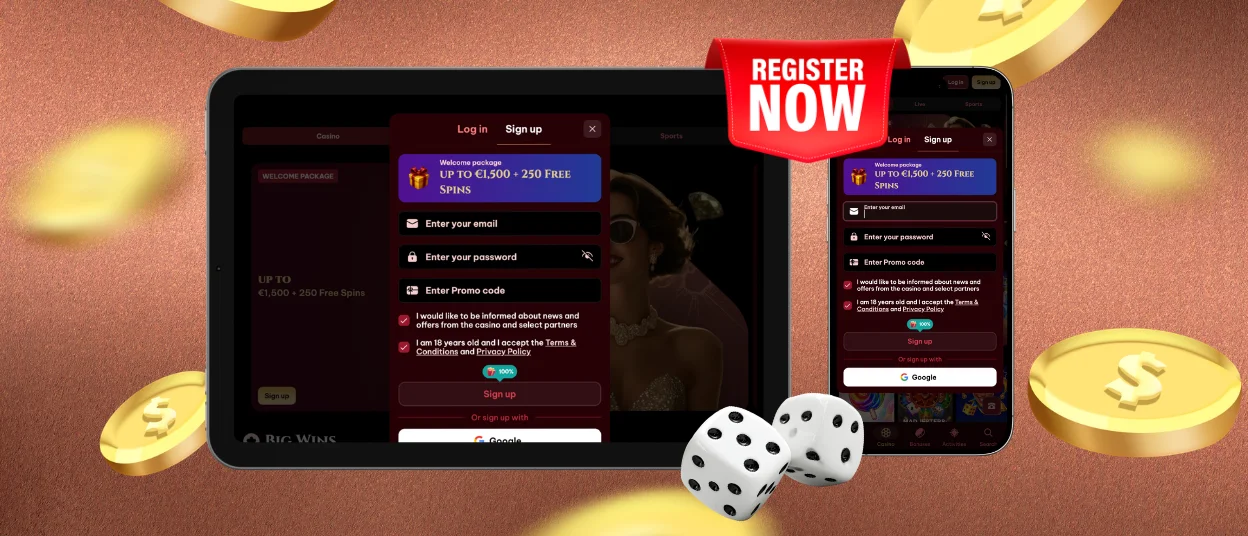
To create an account at Spinogambino Casino, our users can choose from various registration methods – it all depends on their past experience and personal preferences. But the first step is always the Sign Up button.
| Registration Scenario | Required Steps | Notes |
| Standard sign-up | Enter your email address and password, then tick the consent boxes | Make sure your password has at least 6 characters |
| Log in with Google | Open the registration form and click the corresponding icon | If you lose access to your Google account, you may not be able to log in to Spino Gambino Casino |
| Registration with a promo code | Fill in the usual sign-up details + promo code | You can get one through our partner websites, streamer reviews or other sources |
| Referral link | Complete the registration form | The process is the same as standard registration, but the friend who invited you will receive bonuses |
| Sign-up via PWA | Install the app using the Casino App button and create your account | You can access the form by clicking the Sign Up button in the mobile version |
| Switching from another casino | Register as usual and provide screenshots to confirm your status | Show proof of your VIP level to keep your benefits from another casino |
Whichever method you use, you’ll just need to confirm your registration at the end. So, you’ll receive an email with a link that you’ll need to click. After that, you can start using your new Spinogambino Casino account.
Spinogambino Login and Account Management
There is a big difference between what regular visitors and registered users can access. As an official member, you’ll receive many benefits right after your first Spinogambino login. To get into your profile, click the Log In button and enter your credentials. You can also use the eye icon to check your password and make sure there are no typos.
Then, in your account, you’ll be able to:
- claim bonuses
- play for real money
- join tournaments
- view your payment history
- choose your preferred currencies
- receive Spino Gambino notifications
- set limits and use responsible gaming tools
- add games to your favorites and much more
Thanks to your account, you can also better protect your personal information. Along with the safety features we already have, you can use extra tools like 2FA and Spinogambino login tracking.
Spinogambino Account Verification
At Spinogambino Casino, we follow the principles of transparency. Our players know what to expect from our platform, and we also request some information about them – but only the necessary details.
That’s why every new user needs to complete our verification process before making their first withdrawal. To do this, you can upload a document to verify your identity – such as a passport, national ID card or driver’s license. For additional proof of address, you can also send us a utility bill or payment confirmation.
This simple KYC procedure helps reduce many risks. First of all, it prevents unauthorized Spinogambino login attempts. Also, it helps stop the use of stolen payment methods. And finally, it adds an extra layer of protection against fraud.
Two-Factor Authentication Setup
Two-factor authentication is a perfect way to make your Spino Gambino account more secure. Even if someone gets your device, they still won’t be able to log in to your profile without a code.
In your Spinogambino Casino profile, you’ll find the 2FA option. Just click the Enable button to open the setup form with instructions. Then:
- Download Google Authenticator
- Copy the secret key into the app or scan the QR code
- Enter the one-time code (it contains 6 digits)
- Click the Confirm button to finish the setup
After that, you’ll see an active 2FA status in the Security section. The next time you complete your Spinogambino login, you’ll need to enter this code.
FAQ
Where can I see which devices are connected to my Spinogambino account?
In the Security tab. You can check which devices are connected to your account. Also, you can find important details, such as IP addresses and browser information. And if you notice anything unusual, just close your active sessions and contact our multilingual support team via live chat.
Can I access my Spino Gambino account from more than one device?
Yes, you can do it from your phone or computer. But remember: if you log in from several devices at the same time, our security system may see it as suspicious activity. So, your account can be temporarily locked.
Does Spinogambino Casino support social login?
Yes, you can choose “Google” during registration and connect your account to it. However, this option is only for new profiles and can’t be used if you already have one.


